The three checks, in order
Range first, block time second, fare third. Range is a hard limit: if the sector is longer than the aircraft's range figure, no fare will make the route work. Block time decides how often the aircraft can repeat the flight, and the fare tier decides whether the seats fill.
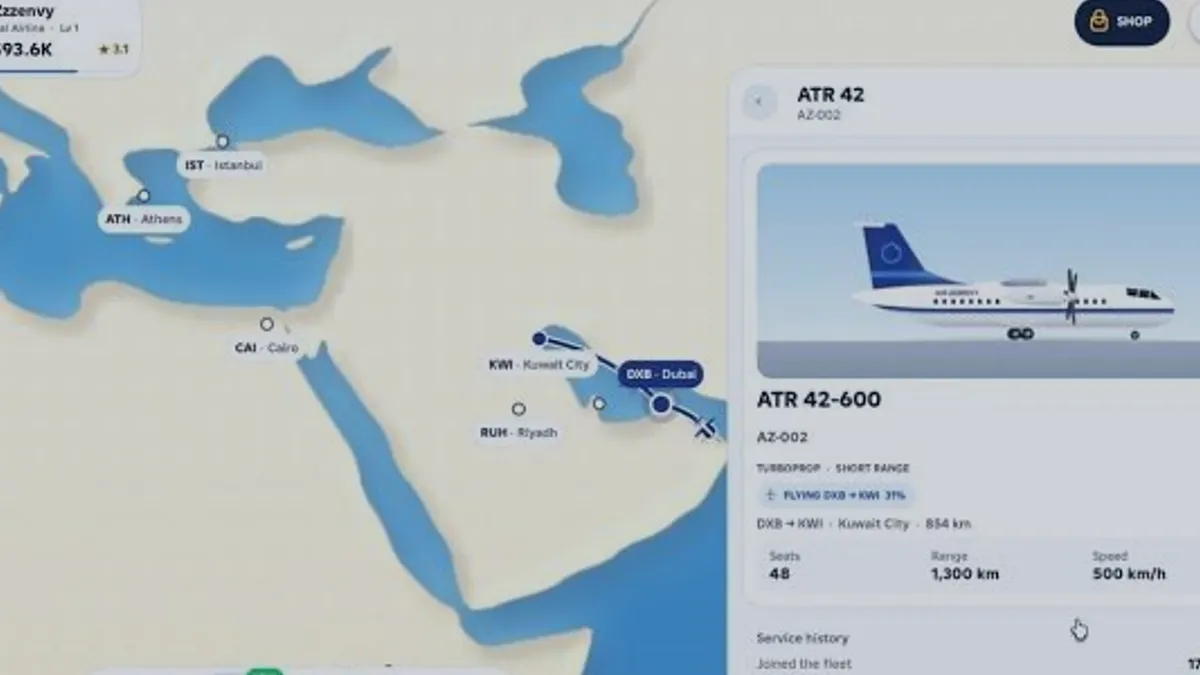
The reviewed ATR 42-600 panel showed 1,300 km of range and an 854 km sector quoted at 3 hours. That is a comfortable first route: well inside range, short enough to repeat, and close enough that the game's demand is not stretched by distance.
What the fleet panel gives you
| Target | Verified value | How to use it |
|---|---|---|
| Range | 1,300 km on the ATR 42-600 | Reject any route longer than this |
| Quoted block time | 3h for an 854 km sector | Count how many flights fit in a session |
| Seats | 48 on the ATR 42-600 | Multiply by load factor for passengers |
| Speed | 500 km/h on the ATR 42-600 | Sanity-check the quoted block time |
Why the quoted time is not distance divided by speed
At 500 km/h, 854 km is roughly 1.7 hours of pure cruise. The game quoted 3 hours for that sector, so the displayed block time includes more than cruise — taxi, climb, approach and the game's own time scale all sit inside that number.
The practical consequence is simple: never estimate a flight's duration from distance and speed. Read the quoted block time on the route card, because that is the number the game actually uses.
Opening the route
Pick a destination inside range
Choose a badge whose distance is clearly below your aircraft's range, not just under it.
Start at the recommended fare
The middle tier is the game's own baseline; moving away from it is an experiment, not a default.
Keep the default service for one flight
Service is priced per seat, so changing it before you know the load factor wastes the comparison.
Record the first result
Write down load factor, cash result and every warning line before touching anything.
Signs the first route is working
- Load factor is stable or rising between runs.
- The route card stops showing fare warnings.
- Cash per flight is positive after service costs.
- The aircraft finishes the sector quickly enough to fly it again in the same session.
First route questions
Should my first route be the shortest one on the map?
Not necessarily. The shortest sector is easy to repeat but may carry weak revenue. Prefer a sector that is comfortably inside range and long enough that the fare tier has room to move.
What if no destination is inside my aircraft's range?
Then the aircraft and the hub do not match. Either open a closer destination or change the aircraft; flying an out-of-range sector is not a workaround.
Can I move an aircraft to another route later?
The fleet panel shows an assigned route, and the recording shows that assignment changing between sessions, so reassignment exists. The exact cost or cooldown was not visible, so treat it as free until you see otherwise.
How many flights before I judge a route?
Two, with one setting changed between them. A single flight cannot separate a bad fare from a bad day of demand, and a third flight only helps if it tests a different setting.
Sources and references
- Run an airline — official Roblox experience page
Supports the game identity, creator, release date, server size, genre and the published feature list quoted on this site.
Accessed - Roblox Games API — universe 10768550253
Supports visit count, favourites, active players, maximum server size, genre tags and the created/updated timestamps used in the snapshot table.
Accessed - Roblox votes API — universe 10768550253
Supports the 1,432 up / 208 down vote counts behind the 87.3% approval figure. Approval is computed, not published by Roblox.
Accessed - Roblox game passes API — universe 10768550253
Supports the six pass names and the effect wording quoted in the monetisation pages. It does not publish prices.
Accessed - Creator profile — monkeytherobloxdev
Confirms the creator account behind the experience. The profile itself carries no studio or support page.
Accessed - RUN AN AIRLINE FOR THE FIRST TIME:O — Zzzenvy
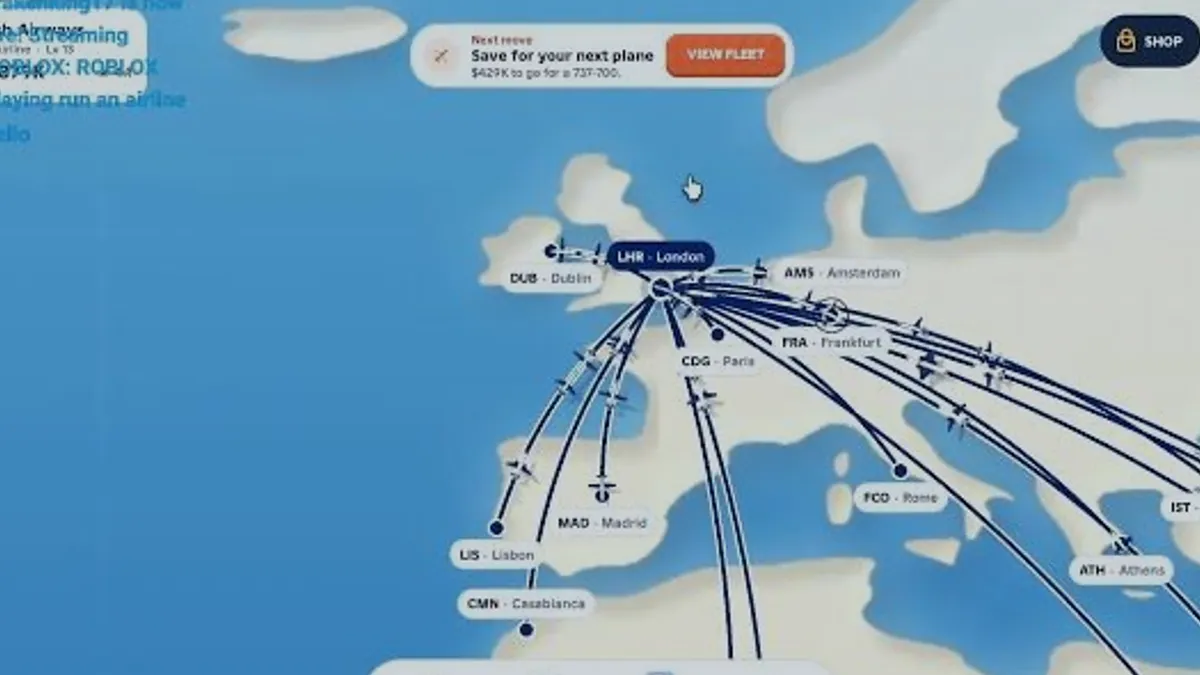
Public first-session recording used for the create-airline flow, the ATR 42-600 fleet panel (48 seats, 1,300 km, 500 km/h) and the DXB ↔ KWI 854 km / 3h example. Frame text only; no developer statement.
Accessed - ROBLOX playing run an airline — Krakenking17
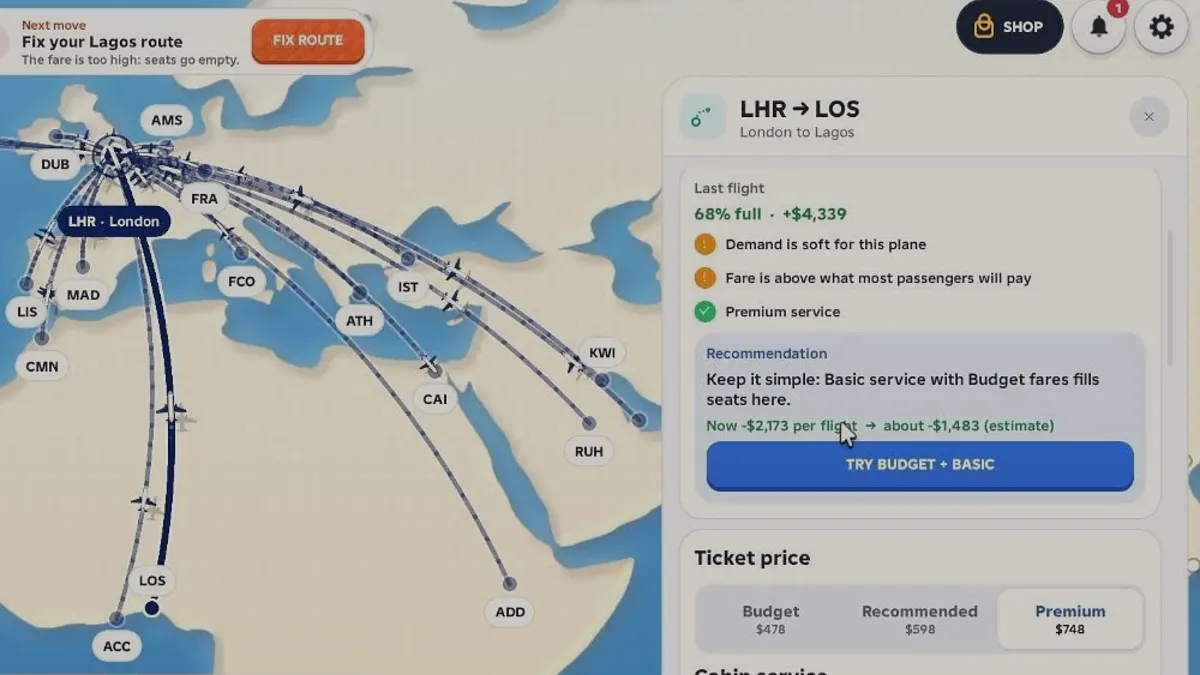
Public live recording used for the LHR → LOS route card: fare tiers $478/$598/$748, 68% load, +$4,339 last flight, -$2,173 to -$1,483 recommendation, and cabin service at $3/$9/$20 per seat.
Accessed